

IoTFlows 4G/LTE router
When to put devices on the IFCR-150 instead of facility Wi-Fi, and what it isolates.
What it is
The IFCR-150 is a cellular router. It creates its own 2.4 GHz Wi-Fi network for IoTFlows sensors and carries their traffic to the cloud over 4G/LTE, so they never join a network the plant owns.
It ships configured. Power it on, give it a few minutes to reach the carrier, and devices assigned to it join on their own. There is nothing to set up on the router itself.
Choose the router when plant IT will not admit devices to the facility network, when the machine sits outside Wi-Fi coverage, or when a pilot must not wait on an IT change request. You do not need it once your devices are approved on facility Wi-Fi. One router serves the sensors within range of it, not one router per sensor.
| Consideration | Facility Wi-Fi | IFCR-150 |
|---|---|---|
| Approval | An IT change request to admit each device | None. The devices never join the plant network |
| Setup per device | Send the network and password from the mobile app | None. Devices join the router on their own |
| Path to the cloud | The plant's own internet connection | The router's 4G/LTE uplink |
| Where it works | Anywhere plant Wi-Fi reaches the machine | Anywhere the building has a cellular signal |
| Exposure to plant systems | The device sits on a network the plant owns | None |
Specifications
| Property | Value |
|---|---|
| Model | IFCR-150 4G/LTE cellular router |
| Uplink | 4G/LTE, over a SIM fitted by IoTFlows before shipping |
| Access point | 2.4 GHz Wi-Fi, matching what the sensors support |
| Wired ports | Three LAN, one WAN |
| Antennas | Four, external |
| Indicators | 4G, LAN1, LAN2, LAN3, Wi-Fi, WAN, power |
| Range to devices | Keep sensors within about 100 ft (30 m) of the router |
| Configuration | None. It ships ready to power on |
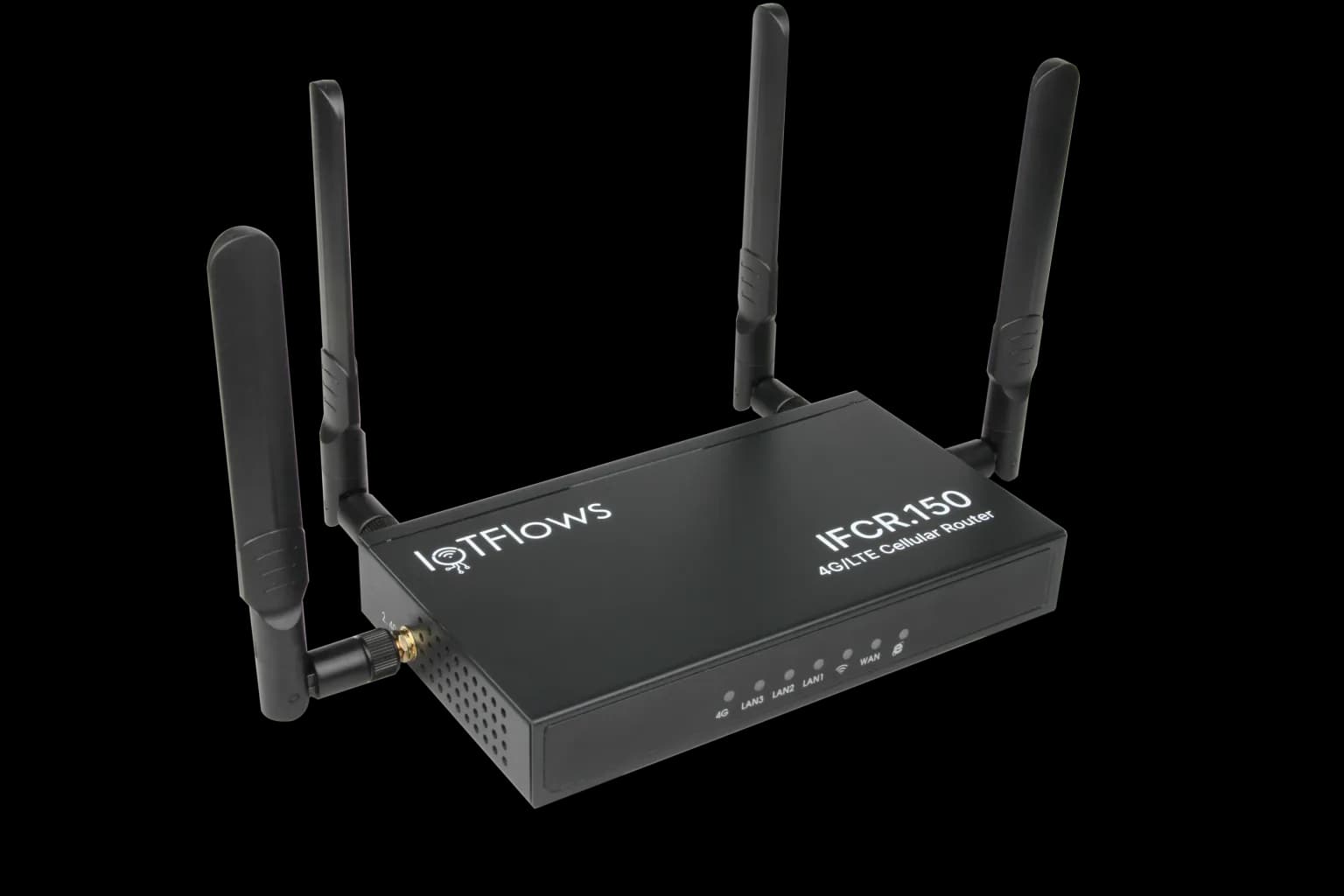 The IFCR-150. The indicator row runs 4G, LAN1 to LAN3, Wi-Fi, WAN and power, left to right on the front edge.
What it isolates
Network isolation means the sensors and the facility network have no route to each other. Devices behind the IFCR-150 are on the router's own network, and their only path out is its cellular uplink. They cannot reach plant systems, and plant systems cannot reach them.
This is the argument to hand plant IT. Admitting a sensor to the corporate network is a security review; putting it on a router that never touches that network is not.
Devices on the IFCR-150 never touch the facility network. This is the diagram to hand plant IT.Two network boundaries drawn side by side as separate dashed enclosures with no line between them. The left enclosure, the facility network, holds plant IT systems and office and production Wi-Fi, and is footed never sees the sensors. The right enclosure, the IoTFlows router network, holds the sensors above the IFCR-150 router they join. An arrow leaves the router downward to a 4G/LTE carrier box and on to the IoTFlows cloud, so the only path out is cellular. A dashed divider labeled no route runs between the two enclosures, and no arrow crosses it.Coverage and SIM
The SIM is fitted before the router ships, so there is no carrier account to open and no plan to choose.
Cellular coverage decides whether the router works, and it is a property of the building rather than the device. Site it where a phone gets a usable signal: near a window or an exterior wall, high rather than low, out of a metal cabinet. Stand the four antennas vertical and clear of metal.
Work outward from there. Sensors need to be within about 100 ft (30 m) of the router they join, so its position is a compromise between the signal it gets and the machines it covers. Where those pull apart, favour the cellular signal: a router with no uplink takes every device with it, while a sensor out of range takes only itself.
For placement step by step, see Connect a device through the 4G/LTE router.
See also
BeamTracker is a laser sensor that counts units as they pass a point: each unit breaking its beam registers a timestamped count, and the time between counts decides whether the line reads as running or stopped. It has a built-in touchscreen for on-device setup, ships with an external antenna only, since M12 power and the mounting bracket are ordered separately, and reports no machine health, vibration or temperature, so those alerts are unavailable on a BeamTracker asset.
Mount a SenseAi on a machine and bring it online: connect the external antenna, pick a flat metal surface close to the spindle or main motor, attach the magnetic base square against it, power the unit from the supplied adapter or a machine USB port supplying at least 500 mA, and confirm the LED at first boot.