

BeamTracker
What BeamTracker counts, what ships in the box, and what it does not report.
BeamTracker is a laser sensor that counts units as they pass a point. It counts without touching the part, so it suits a line where units move through a fixed path and a sensor on the machine could not tell them apart.
Deciding between devices? SenseAi derives counts from a machine's own cycle, and Overview: IoTFlows hardware compares all four devices.
What BeamTracker measures
 BeamTracker, front and back: the touchscreen used to set it up on the device, and the lenses the beam leaves and returns through.
BeamTracker uses a single-point invisible laser as a tripwire across the part flow. Each unit that breaks the beam registers a count and a timestamp.
State follows from the time between counts, which you set during calibration. Parts arriving within the expected timing read as running; no part for longer than the configured duration reads as stopped. There is no third state.
From that stream, the cloud reports:
- Part counts and throughput rates.
- Utilization and running-versus-stopped time. Every figure is defined in how each metric is calculated.
- Downtime, with duration, frequency and a reason once classified.
- Historical production trends by day, week, month, quarter, or year.
- Alerts for slow production and extended downtime.
Data is encrypted in transit and at rest across the IoTFlows cloud.
What BeamTracker does not report
BeamTracker measures a beam, not the machine, so it produces no vibration reading and no machine health data. On a BeamTracker asset the dashboard hides the Health tab, and the only alerts you can configure are Machine Status and connectivity.
You do not get machine health, vibration, shock or temperature alerts from a BeamTracker. If you need those on the same equipment, add a SenseAi alongside it.
Specifications
| Property | Value |
|---|---|
| Type | Single-point laser sensor, non-contact |
| Detects | A unit breaking the beam |
| Display | Built-in touchscreen for setup, calibration and status |
| Connectivity | Wi-Fi, 2.4 GHz only |
| Connectors | Industrial M12 |
| Power | 4.5 to 28 V DC over M12 |
| Ingress protection | IP67: dustproof, and immersion to 1 m (3 ft) for 30 minutes |
| Range | Up to 8 m (26 ft), resolved to the millimetre |
| Detection cutoff | Configurable, for different unit sizes and line speeds |
In the box
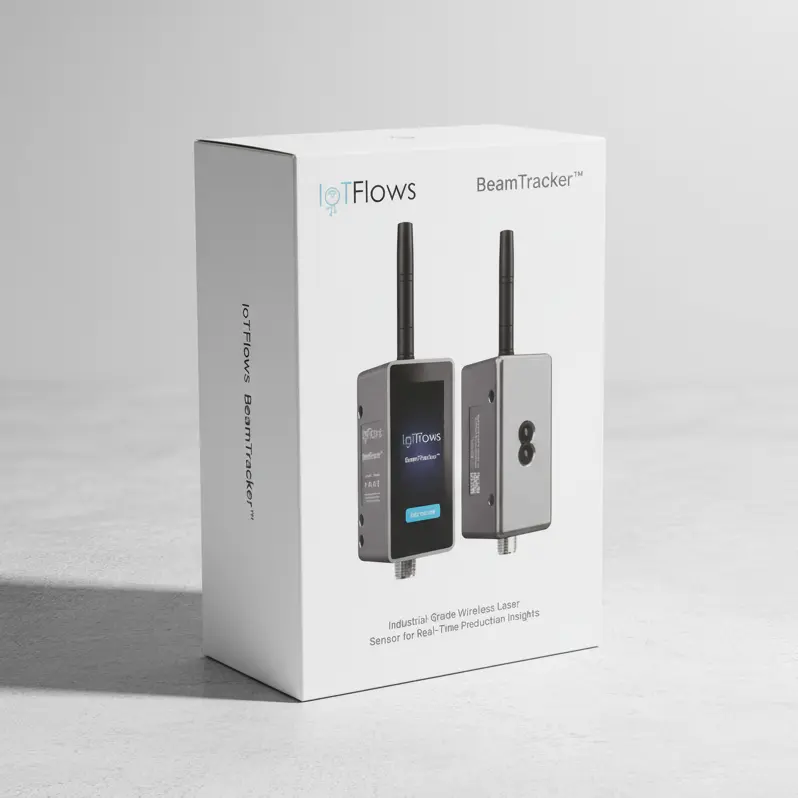 A BeamTracker ships pre-configured, and is set up from its own screen rather than from the dashboard.
| Item | Quantity | Notes |
|---|---|---|
| BeamTracker device | 1 | Includes the built-in touchscreen |
| External antenna | 1 | Connect it before powering the device on |
The M12 power adapter, the M12 cable and the mounting bracket are ordered separately. The cable is an extension, 1 to 3 meters (3 to 10 ft), for when the adapter will not reach the device; an M12 T-splitter daisy-chains power between devices mounted close together.
Requirements
| Requirement | Value |
|---|---|
| Account | An IoTFlows organization you can sign in to |
| Network | A 2.4 GHz Wi-Fi network, or an IoTFlows 4G/LTE router. 5 GHz is not supported |
| Phone | An iOS or Android device. Wi-Fi setup runs over Bluetooth from the mobile app, not from the web |
| Line of sight | A clear path for the beam across the part flow |
| Mounting | A stable position, square to the direction units travel |
| Time | 5 to 15 minutes |
BeamTracker needs units to pass a defined path in a consistent direction. Where they do not, or where the beam cannot see them cleanly, count from the machine's cycle with a SenseAi instead.
Sensors are tied to an asset by IoTFlows during onboarding. If a sensor is not reporting against the right machine, contact support.
See also
SenseAi Embedded runs the same application as SenseAi but reads vibration only, because its IP67 housing is sealed; the rating buys placement, letting it mount on the motor or spindle itself where reading at the source adds advanced health analytics, and it ships with an external antenna only, since the M12 power adapter and cable are ordered separately, and needs a 2.4 GHz Wi-Fi network or an IoTFlows 4G/LTE router.
The IFCR-150 is a cellular router that gives IoTFlows sensors their own 2.4 GHz network, reaching the cloud over 4G/LTE instead of facility Wi-Fi; it ships configured with its SIM fitted, needs no IT change request, and keeps every device behind it off the plant network entirely.