


Production Scheduler
Production scheduling on the machines you already monitor
Plan every job across your machines, let the optimizer tighten the plan, and hand each operator their queue. Part counts come straight from the sensors, so the schedule always knows where the work stands.
Views
One schedule. Five ways to work it.
Plan in the Gantt, hand work between machines in Kanban, track progress in the Table. Every view is the same schedule, grouped by machine, job or operator.
It runs on the same machines, people and parts as machine monitoring and Maintain.
Gantt
Drag work along the week or onto another machine, and see the tooling it holds underneath.
Table
Every task with who it’s assigned to and its live part count. Export it to CSV.
List
The backlog top to bottom. Change a status in one click.
Kanban
Group by operator to see who’s overloaded, then drag work to whoever has room.
Calendar
The week the way the floor sees it. Drag a job to another day.
Group by machine, job or operator
Every view regroups in one click, to answer a different question.
Optimizer
A tighter plan in one click. Nothing moves until you apply.
Optimize proposes a plan that respects every machine, material and dependency, drawn as ghost bars over your schedule with violations and span before and after.
Skip any move you don’t like and apply the rest in one step. One undo puts it all back, and work that’s running, done or locked never moves. How the optimizer works.
Simulation
Try it before you commit. Your live schedule stays put.
Open a simulation and rearrange freely. Every move is scored against the live schedule on double-bookings, overdue work and span, so you see what a change costs before anyone on the floor hears about it.
Add a what-if, like an extra shift, then commit when the numbers work or discard the draft. Simulate a schedule.
Schedule issues
Conflicts show up while you plan. Not on the floor.
Book a machine twice, reserve tooling that’s already in use, or let a job slip past its due date, and the issues count changes the moment you drop the bar.
Each issue says what’s wrong in one line and jumps you to the job that needs fixing. What the scheduler checks.
Capacity
Know where you’ll stand on Friday. Starting from today.
Under the Gantt, the capacity lane starts from your inventory today and plays the schedule forward: how many units of every tool are free at any hour, and how many finished parts you’ll have by any date.
Move a job and both lines move with it, so a tooling shortage or a short shipment shows up while you plan. Read the capacity lane.
ERP import
Bring in the schedule from your ERP. Any export works.
Upload a CSV or Excel export from Epicor, SAP, Oracle or a plain spreadsheet. IoTFlows detects the columns, matches your people and shows you every job before it imports. Only two columns are required: the order number and the task name.
Enterprise customers get two-way connectors to Epicor, SAP, Oracle, JobBOSS, ProShop and others, built by IoTFlows. Import a schedule.
Operators
Every operator knows what’s next.
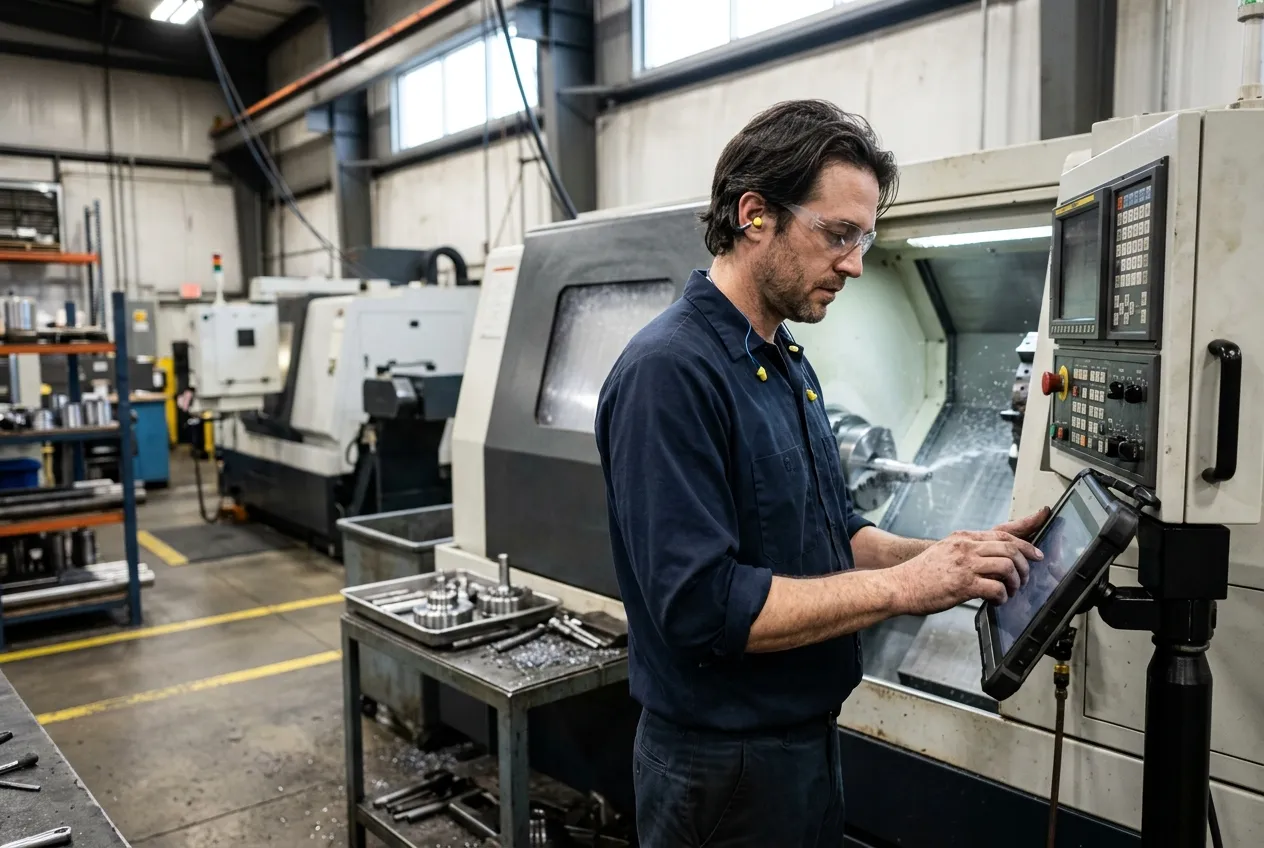
The Work Queue gives each operator their jobs on the web, iOS and Android. They tap Start, and the part count comes straight from the machine’s sensor; scrap is one tap more.
The schedule and your production numbers are one record. The Work Queue · Production monitoring.
Insights
Know what every job cost. And what shipped on time.
Insights prices every job from the hours logged on it, at your labor and machine rates, and sets it against the budget: profit, margin, and the share of work that’s losing money. Completion and on-time sit beside it, by job, machine and operation.
Customer story
Hugo Benzing raised efficiency 20% by scheduling its tooling, not just its machines
Hugo Benzing has made retaining rings, snap rings and other safety elements for more than 90 years. At its plant in Wixom, Michigan, every ring is coiled, heat-treated and packed, and the Production Scheduler now plans all three.
- 20%
- more efficiency from optimized tooling
- 10+ hrs
- of planning saved every week
- < 2 weeks
- from kickoff to a live schedule
Challenge
Rings are heat-treated in tubes that hold 150 to 200 each, and racks and boxes are just as limited. When any of them ran out, the next order waited, however free the ovens were. The planners kept track across a stack of complex Excel sheets.
Solution
Every job is built in the Production Scheduler, with tubes, racks and boxes set up as tooling, so a shortage shows the moment a planner drags a job. SenseAi counts coils on the coilers and BeamTracker counts them packed, so the plan runs on live numbers.
Products
Production Scheduler, SenseAi and BeamTracker.


“We love the entire IoTFlows platform. It has revolutionized our visibility into our operations, from the coilers to the ovens to the packing line.”
Sorinex runs its machines, maintenance and schedule on IoTFlows too. Read the Sorinex story.
Questions people ask
Five views of one production schedule: List, Table, Gantt, Kanban and Calendar, grouped by machine, job or operator. An optimizer that draws a constraint-aware proposal as ghost bars, with violations and span before and after, and applies it as one undoable step. Simulations that score a draft against the live schedule, with what-ifs such as custom working hours. Schedule issues that list double-booked machines, serialized pieces in conflict, tooling with no units free, past-due work and late predecessors. A capacity lane that starts from inventory on hand and projects free tool units and finished parts over time. A six-step importer for CSV or Excel exports from any ERP. The Work Queue and job runner for operators, with work sessions, sensor part counts and scrap. Insights, which prices each job at labor and machine rates against its budget and reports on-time completion. A table export of 24 columns to CSV. It runs on the same machines, people and parts as machine monitoring and Maintain.
Yes. The Production Scheduler (the Scheduling Engine module) plans jobs on the same machines the sensors monitor: list, table, Gantt, Kanban and calendar views of one schedule, drag-and-drop between machines, an optimizer, simulations, an ERP importer, a work queue for operators and a job runner that attaches the part count to each task.
No. Jobs can be created one at a time with the Create Workorder form, where only the title is required and picking a machine fills in the operation, the time estimate and the parts it reserves. If you have an ERP, export a CSV or Excel file and the six-step importer turns its rows into jobs and tasks.
No. Optimize computes a constraint-aware proposal and draws it as dashed ghost bars with a banner reading violations and span before and after. Nothing is written until you click Apply, which saves every included move as one undoable batch. You can skip any single move first. Completed, locked and in-progress work is pinned and never moved.
Yes. A Simulation is a sandbox on the Gantt: every move is staged in your browser instead of being written, and a dashed band scores the draft against the live schedule on violations, double-bookings, overdue work, span and unscheduled tasks. The What-ifs drawer adds custom working hours and other scenarios.
In the Work Queue, on the web and in the iOS and Android apps. My Work holds what is assigned to them or one of their teams; Available Work holds everything else. Opening a task takes them to the job runner, where Start opens a work session, the quantity shows what the machine’s sensor counted, and the scrap button writes to the same session.
The Schedule issues pill lists everything wrong with the schedule: machines booked twice at the same time, serialized pieces two work orders both need, tooling with no units free, past-due work, and work waiting on a predecessor that cannot finish in time. Under the Gantt, the capacity lane shows how many units of each tool are free over time and the projected output of each part. The optimizer respects the same constraints when it proposes a plan.
Yes. The capacity lane under the Gantt starts from what is on the shelf today: the free units of each reusable tool and the quantity on hand of each part. It plays the schedule forward from there, so you see how many tool units are free at any hour, which job is holding them, and how many finished parts you will have by any date. Projected output comes from the parts each operation is set to create.
The Production Scheduler is a module on top of machine monitoring. The Production Scheduler (Scheduling Engine module) starts at $1,500 per month. Talk to sales for a quote on your machine count.
Documentation
Want the detail? These guides walk through each feature step by step.
- Plan jobs in five viewsList, Table, Gantt, Kanban and Calendar, grouping, and dragging work between machines.
- Generate a schedule proposalWhat Optimize computes, how it draws it, and what Apply writes.
- Try a schedule change without saving itThe Simulation sandbox and the What-ifs drawer.
- Find and fix problems in the scheduleEverything the Schedule issues pill lists.
- Import a schedule from your ERPThe six-step importer and the two columns it needs.
- Find your next job in the Work QueueMy Work, Available Work and the filters.
- Start, pause, and complete a jobThe job runner, work sessions, counts and scrap.
- Analyze cost and on-time performanceInsights: labor and machine rates against budget.
Schedule the machines you already monitor
The Production Scheduler runs on the same machines, operators and part counts as monitoring, so adding it is a module, not a project. Starting at $1,500 per month.